Understanding the Demands of Meta Quest 3 PC Link
The Meta Quest 3 is designed as a standalone VR headset with robust capabilities, but connecting it to a powerful PC elevates the experience to new heights. To achieve seamless VR performance, a carefully chosen PC build is essential to handle the high data throughput and graphical fidelity required.
This guide provides detailed specifications and recommendations for building a VR-ready desktop tailored specifically for the Meta Quest 3 Link feature. The goal is to ensure low latency, smooth frame rates, and uncompromised visual quality.
Key Performance Metrics for Meta Quest 3 PC Link
Frame rate stability and resolution rendering are the most critical factors for a satisfying VR experience. The headset is capable of running at up to 120Hz refresh rate, demanding consistent GPU and CPU performance without bottlenecks.
Data transfer speed between the PC and Meta Quest 3 also plays a vital role. A robust USB-C connection or high-speed wireless throughput requires hardware that supports the latest standards.
CPU Requirements
Meta Quest 3 Link demands a processor with multiple cores and high single-thread performance to handle VR applications efficiently. At minimum, a recent generation Intel Core i5 or AMD Ryzen 5 processor is recommended to avoid performance dips during gameplay.
For developers or enthusiasts aiming for future-proof performance, an Intel Core i7 or AMD Ryzen 7 processor ensures enhanced multitasking and processing power. These CPUs maintain smooth frame pacing and reduce VR sickness by providing consistent computation power.
Graphics Card Selection
The GPU is the cornerstone of a quality VR experience. Meta Quest 3 Link requires a graphics card capable of rendering high-resolution stereoscopic images at high frame rates.
Current generation NVIDIA RTX 3060 or AMD Radeon RX 6600 XT cards represent the minimum viable option, providing sufficient VRAM and ray tracing support. For ultra settings or development, RTX 3070 or RX 6700 XT and above are preferable for headroom in demanding applications.
Memory and Storage Considerations
System memory impacts loading times and multitasking within VR environments. A baseline of 16GB DDR4 RAM is mandatory to accommodate the latest VR software and background processes.
Storage speed also affects application streaming and loading times. NVMe SSDs are essential for rapid asset access, reducing latency and improving overall VR responsiveness.
Detailed Hardware Component Breakdown
Motherboard Features
Selecting a motherboard with USB 3.2 Gen 2 ports or higher ensures compatibility with Meta Quest 3’s Link cable specifications. Additionally, support for PCIe 4.0 enhances graphics card bandwidth.
A trusted motherboard brand with reliable VRM (Voltage Regulator Module) design is critical for stable overclocking and future upgrades. Features like integrated Wi-Fi 6 or Ethernet 2.5GbE optimize network performance for wireless VR connections.
Power Supply Unit (PSU)
The PSU must provide clean and stable power output to all components, especially the GPU, which is power-hungry during VR tasks. A 650W or higher fully modular PSU from a reputable manufacturer is recommended.
Efficiency rating of 80 Plus Gold or above guarantees reduced heat generation and power waste, which are important for maintaining system stability during extended VR sessions.
Cooling Solutions
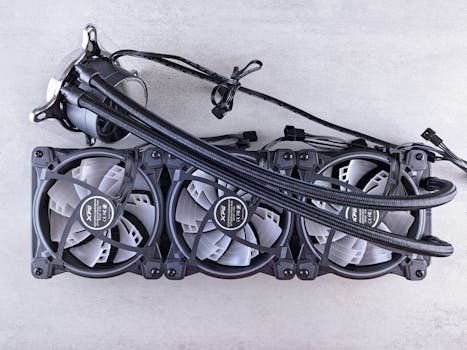
VR workloads can tax CPUs and GPUs heavily, making effective cooling a necessity. A combination of quality air coolers or AIO liquid coolers ensures optimal thermals.
Case airflow must be designed to prevent hot air buildup, with strategically placed intake and exhaust fans. This reduces thermal throttling that negatively impacts VR performance.
Choosing the Right Peripheral Interfaces
USB Ports and Cables
Meta Quest 3 PC Link uses USB-C connectivity for wired VR streaming. Ensuring your PC includes USB 3.2 Gen 2 Type-C ports guarantees sufficient bandwidth.
A high-quality, shielded USB-C cable capable of stable 5Gbps or higher data transfer is a crucial accessory. Cable length and flexibility also influence user comfort and range of movement during VR sessions.
Networking for Wireless Link
Wireless Link depends heavily on ultra-fast Wi-Fi standards to minimize latency and packet loss. A Wi-Fi 6E router paired with a PC equipped with a compatible Wi-Fi card is essential.
Wired Ethernet connections provide the most stable alternative for wireless streaming setups. Network configurations should prioritize low latency and minimal interference.
VR Performance Benchmarks and Testing
Recommended Benchmarking Tools
To verify that the PC build meets Meta Quest 3 Link requirements, software such as Oculus Debug Tool and VR Mark offer comprehensive performance insights. Monitoring frame timing and dropped frames is vital to optimize settings.
Real-world testing with popular VR titles like Beat Saber and Half-Life: Alyx provides practical performance measures. Adjusting graphical settings based on these tests ensures an immersive experience without compromising smoothness.
Sample Build Specifications Table
| Component | Recommended Model | Details |
|---|---|---|
| CPU | AMD Ryzen 7 5700X | 8 cores, 16 threads, high single-thread performance |
| GPU | NVIDIA RTX 3070 | 8GB GDDR6, ray tracing support, VR-ready |
| RAM | 16GB DDR4 3200MHz | Dual-channel configuration for optimal bandwidth |
| Storage | 1TB NVMe SSD | Fast read/write speeds to reduce load times |
| Motherboard | ASUS TUF Gaming B550-PLUS | USB 3.2 Gen 2, PCIe 4.0, robust VRM |
| PSU | Seasonic Focus GX-650 | 650W, 80 Plus Gold, fully modular |
| Cooling | Noctua NH-U12S | High airflow air cooler with low noise |
| Network | Intel Wi-Fi 6 AX200 | Supports Wi-Fi 6 for wireless VR streaming |
Software and Driver Configuration
Essential Software for Meta Quest 3 PC Link
Oculus PC software is mandatory for managing Link connections and VR library management. Keeping this software updated ensures compatibility and access to new features.
Graphic drivers must be current. NVIDIA and AMD regularly release updates optimized for VR performance and Meta Quest compatibility.
System Optimization Tips
Disabling unnecessary background processes improves CPU availability for VR applications. Setting power plans to “High Performance” prevents CPU throttling during intense VR sessions.
Configuring graphics settings such as resolution scaling and ASW (Asynchronous Spacewarp) on Oculus software balances visual fidelity and frame rate stability for Meta Quest 3 Link usage.